
Affiliate Disclosure: We may earn a commission if you later purchase through a qualifying link, at no extra cost to you. No affiliate links are active in this article at publication. Recommendations and criticism are independent. See our editorial policy.
Part of our CRM Software Guides for Small Businesses library.
Search goal
Understand the real limits before importing customer data
HubSpot Free CRM limits explained for users, contacts, pipelines, templates, meetings, reporting, and the first sensible upgrade point.
HubSpot Free is unusually capable, but “free CRM” does not mean an unrestricted version of Sales Hub. The free account is designed for a founder or very small team proving a process. It becomes restrictive when more people need access, different sales motions need separate pipelines, or repeatable prospecting requires automation. This guide separates useful free capability from the limits that most often cause an unexpected upgrade.
Quick reference
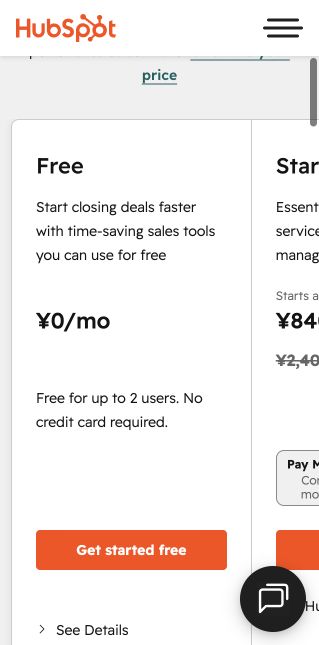
| Users | Up to 2 users on the free account |
| Contacts | Up to 1,000 contacts according to HubSpot’s current free-tools page |
| Deal pipelines | One deal pipeline |
| Meeting links | One personal meeting link |
| Email templates | Up to three templates per account |
| Reports | Standard dashboards and reports, without advanced custom reporting |
| Time limit | No fixed trial deadline |

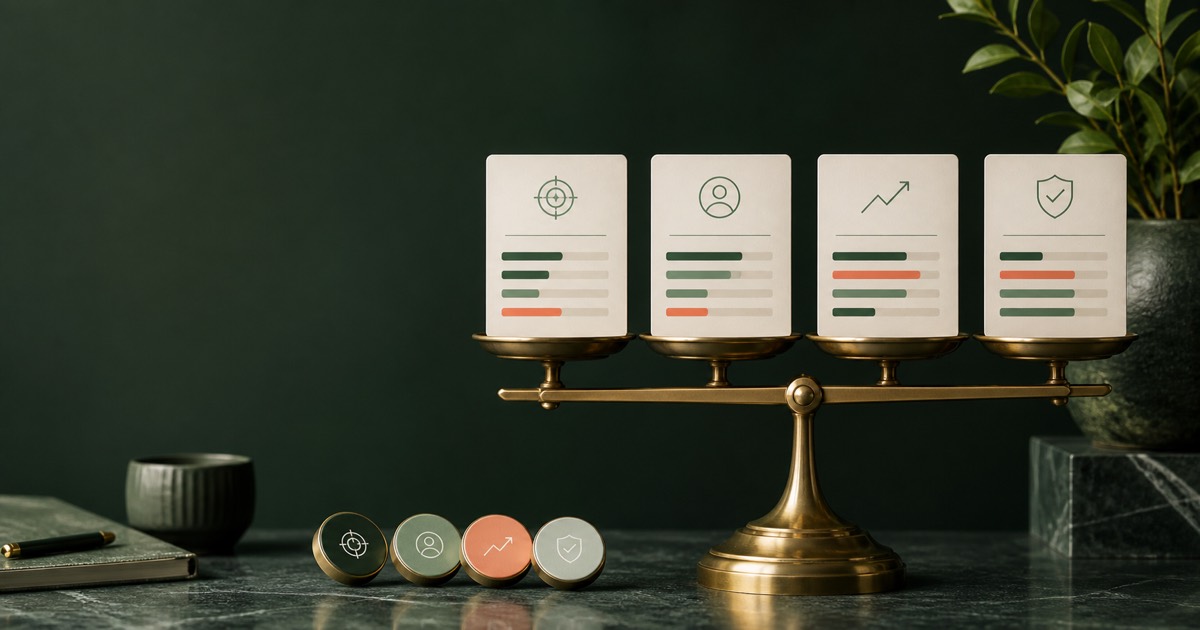
Editorial concept images for decision planning; they are not product-interface screenshots.
The limits that matter first
The two-user ceiling is usually the first operational limit. A view-only stakeholder is not the same as a rep who must edit records and own deals. The second constraint is process depth: one pipeline works for one consistent sales motion, but becomes confusing when new business, renewals, partnerships, and onboarding all use different stages. Free email templates and meeting links are enough to test habits, not to standardize a growing sales team.
What the free plan is genuinely good for
Use the free account to establish clean contact records, one visible deal pipeline, ownership, next activities, email history, meeting scheduling, and a weekly pipeline review. A two-person company can run a disciplined sales process without paying merely for database access. The value is highest when the team resists adding fields and automations before the underlying process is stable.
When Starter is enough
A Starter upgrade makes sense when branding removal, more templates, additional meeting links, basic automation, or paid user access solves a specific bottleneck. Write the missing capability and its monthly value before buying. If the problem is inconsistent follow-up, upgrading software will not fix it until every active deal has an owner, a next action, and a date.
When Professional becomes the real comparison
Professional is a different economic decision. It is commonly evaluated for sequences, forecasting, custom reporting, playbooks, and broader automation. Compare its annual seat cost and required onboarding with focused CRMs such as Pipedrive or Zoho CRM. The right question is not whether Professional has more features; it is whether those features replace labor or other software worth more than the annual commitment.
Action checklist
- Confirm exactly who needs edit access
- Use one pipeline with observable stage definitions
- Test the three templates with real prospects
- Record every active deal’s next action
- Export a backup before any major plan change
- Price the next tier at the expected 12-month team size
Common mistakes to avoid
- Treating free as the long-term architecture for a five-person team
- Importing every old contact before cleaning consent and ownership
- Buying Professional for reports nobody has defined
- Confusing CRM contacts with billable marketing contacts
Official sources
- HubSpot Free Tools and current limits (accessed August 8, 2026)
- HubSpot Sales Hub pricing and feature table (accessed August 8, 2026)
Frequently asked questions
Is HubSpot CRM completely free?
HubSpot offers free tools with no fixed trial deadline, but accounts have user, contact, pipeline, template, automation, and reporting limits.
How many users can use HubSpot Free?
HubSpot currently states that its free tools support up to two users. Check the official pricing page before signup because packaging can change.
Can a small business stay on HubSpot Free?
Yes, when one or two people use a single sales pipeline and do not require advanced automation or reporting.
Put this guide into practice
Use the free planning tools
Upgrade control
Define exit criteria before the free plan becomes operational debt
The useful question is not how long a free CRM can be kept at zero cost. It is which observable event should trigger a paid-plan review. Define those events before importing the full database, then review them monthly. This prevents a team from discovering a critical limit during a sales campaign or reporting deadline.
| Trigger | Evidence to save | Action |
|---|---|---|
| User or permission constraint | Roles that cannot safely complete their work | Price the required seats and controls |
| Automation bottleneck | Repeated manual task and monthly minutes | Compare automation value with upgrade cost |
| Reporting gap | Decision that cannot be answered from current reports | Test the exact report in the next edition |
| Data-quality risk | Duplicates, missing required fields, or weak governance | Evaluate paid controls or another CRM |
| Integration requirement | System, direction, frequency, and owner | Verify native connector and total cost |
For each trigger, estimate monthly manual cost: minutes per occurrence × occurrences per month × hourly loaded cost ÷ 60. Compare that amount with the incremental subscription cost. This does not automatically justify an upgrade, but it converts “the free plan feels limiting” into an auditable decision.
The free edition remains a fit when the team can maintain ownership, next actions, exports, and essential reporting without fragile workarounds. Begin a paid evaluation when a documented limitation changes customer follow-up, access control, data integrity, or management decisions. Always confirm the current limit on HubSpot’s official pages because packaging can change.
Verified research record
How this guide was checked
Editorial owner
Rena Ozone (小曽根玲奈)
Representative member, RIA LLC
Reviewer profile and standards
Evidence level
Official-source desk research
Pricing, limits, documentation, and export requirements checked August 8, 2026. We never label a product hands-on tested unless an authenticated workflow was completed.
Northstar scoring model
Usable free workflow 35% · limits transparency 25% · upgrade cost 20% · portability 10% · support 10%. Scores are situation-specific and never increase because a product has an affiliate program.
Five-user cost check
HubSpot’s official Japanese pricing page showed Free at ¥0 for up to two users, Starter from ¥840 per seat monthly on the displayed annual promotion, and Professional from ¥10,800 per seat monthly, checked August 8, 2026.
Who should not use this recommendation
The free account is not suitable as a five-active-user plan or for teams that already require sequences, custom reporting, forecasting, and broad automation.
Reproducible verification checklist
| Check | What to record | Pass condition |
|---|---|---|
| Plan and seat rules | Selected edition, paid seats, billing interval, currency, and tax treatment | The same configuration can be priced again from the official page |
| Workflow fit | One lead from capture through assignment, follow-up, and close | No required step depends on an undocumented workaround |
| Data portability | Export format, identifiers, associations, activities, and attachments | A sample export opens cleanly and preserves required fields |
| Upgrade trigger | The first limit that forces a paid plan or add-on | The trigger is tied to an actual team requirement |
Additional official source: HubSpot free CRM product page (checked August 9, 2026).
Next verification stage: authenticated free-plan setup, timed onboarding, a 20-record import, one real pipeline workflow, export, and original dashboard captures. Results will be added only after completion.
Continue your CRM research
Compare the software after defining the workflow.
Use these requirements and checklists before opening vendor pricing pages. Then test the same real-world scenario in each shortlisted product.
Editorial note: this guide was researched and reviewed by the Northstar Select editorial team on August 8, 2026. Commercial details should be reconfirmed before purchase.