
Affiliate Disclosure: We may earn a commission if you later purchase through a qualifying link, at no extra cost to you. Recommendations and criticism are independent. See our editorial policy.
Use the free 10-day SEO tool trial checklist before deciding.
Part of our SEO Tools and Keyword Research guides and practical software library.
COMPARE WITH YOUR OWN WORKLOAD · SPONSORED LINK
Start small, then verify the live plan limits
Use the official account and pricing pages to check whether Basic or Premium fits the number of people, tracked keywords, and reports you actually need. A qualifying purchase through these links may earn RIA LLC a commission at no additional cost to you.
Not sure which workflow fits? Use the free 60-second Mangools fit check.
What the current bundle changes
Official pricing-page snapshot checked September 25, 2026; verify the live terms before buying.
| Allowance | Basic | Premium |
|---|---|---|
| Keyword research requests per 24 hours | 100 | 500 |
| Tracked keywords | 200 | 700 |
| Rank update frequency | Weekly | Weekly |
| Extra seats available | None | 3; verify additional charges |
Do not upgrade to Premium just for daily rank updates: both of these advertised bundles update weekly. A larger tracked-keyword allowance is a different benefit from more frequent updates.
The monthly tab also displayed inconsistent secondary annual/savings labels. We have not used those labels to calculate a discount. Read the final checkout total, renewal terms and billing period. View the official pricing page.
Start with the recurring job, not the larger plan
“Premium” sounds like a quality upgrade, but SEO software tiers are usually capacity choices. The useful question is not whether Premium has a better name. It is whether the team repeats enough keyword lookups, SERP checks, rank updates, backlink reviews, and projects that the lower tier creates a real operating delay.
Write down one ordinary week. Include every keyword list you expand, every domain you inspect, every rank report you export, and every person who needs to work inside the account. Then repeat the exercise for your busiest seasonal week. A plan should absorb normal work and leave a modest buffer; it does not need to cover an imagined agency-scale workload if the business is not doing agency-scale work.
Price difference: translate $20 into a decision rule
At the bundle monthly prices displayed September 25, 2026, Premium is $20 more per month than Basic. Paying that monthly difference for twelve months totals $240 before taxes or price changes; this is not the price difference for an annual-prepaid subscription. Treat that number as a small operating investment rather than a feature trophy. If the larger plan saves one owner an hour of qualified work each month, it may be rational. If it only permits more unprioritized searches, it is an avoidable recurring cost.
| Question | Basic is usually enough when… | Premium becomes worth testing when… |
|---|---|---|
| Keyword research | You work from a short, prioritized list each week. | Repeated daily research is central to publishing or client delivery. |
| Rank tracking | You track a focused set of pages and review changes weekly. | You need broader project coverage or more frequent operational checks. |
| People | One person owns research and reporting. | More than one contributor needs reliable access and shared context. |
| Decision risk | You can wait for a limit reset without missing a deadline. | A limit blocks a client deliverable or a revenue-critical research cycle. |
Build a 14-day capacity test before upgrading
- Create one project for your own site or a real client workflow.
- List the 20–50 pages and keywords that actually determine your next publishing decisions.
- Run your normal research without padding the test with curiosity searches.
- Log when a limit changes what you could deliver that day.
- Separate a true limit from an unclear process or duplicated work.
- At day 14, calculate how many hours, deadlines, or decisions were affected.
A limit is meaningful when it prevents a specific, valuable action. “I would like more data” is not yet a business case. “I could not refresh the rankings that decide next week’s page updates” is a business case—if the report is used.
Use one scorecard across every SEO tool
Do not choose a plan in isolation. A smaller Mangools subscription plus a separate technical crawler can be better than a larger suite if your real bottleneck is technical auditing. Conversely, an all-in-one product may be more economical when a team needs content research, competitive reporting, and implementation work in one operating system.
Score each option on five criteria: research capacity, reporting cadence, technical-audit coverage, collaboration, and annual cash cost. Give the highest weight to the constraint that delays publishing or causes poor decisions. This prevents an impressive feature list from overriding the workflow you actually have.
Who should not choose Premium yet
Do not move to Premium merely because a free trial ends, because a dashboard looks busy, or because you plan to publish more someday. Teams without a consistent keyword-to-page workflow should first improve their research process: choose one query cluster, map it to one primary page, record a baseline, and revisit the result after an update. Better discipline often produces more value than more quota.
Decision checklist
- Record the live Basic and Premium terms on the day you buy.
- Count planned weekly research actions, not aspirational searches.
- Keep an evidence log of any blocked work for two weeks.
- Check whether another tool already covers the missing workflow.
- Calculate the annual difference before accepting a monthly upgrade.
- Reassess after a new hire, new client, or new reporting obligation.
How to compare Premium with other monthly SEO spend
Software cost should be compared with the output it enables, not with a competitor’s largest feature checklist. A solo publisher may need one reliable keyword research workflow, a place to track priority pages, and a clear way to revisit declining rankings. A small agency may also need to prepare client reports, work across several projects, and maintain a repeatable review cadence. These are different operating models even when both teams use the word “SEO.”
Put the plan beside the other tools already paid for: a crawling product, an analytics platform, a writing assistant, or a rank-reporting service. Mark any feature that would genuinely replace a subscription. Then mark every capability that still needs a separate process. A Premium plan can be good value when it replaces repeated manual research, but it is not automatically a substitute for technical audits, conversion research, or content editing.
Review the decision after publishing, not just before purchase
Set a recurring monthly review with four numbers: the number of pages refreshed, keyword clusters investigated, ranking reports acted on, and decisions that changed because of the data. The aim is not to maximize tool activity. It is to connect research to publishing, updating, or technical fixes. If the same searches recur without a page-level action, tighten the process before buying more capacity.
Keep a simple research ledger: query, target page, search intent, competing page type, recommended action, date updated, and later result. This turns an SEO subscription into a learning loop. It also makes it easier to decide whether a larger plan is solving a true constraint or simply making an unstructured workflow faster.
Frequently asked questions
Is Mangools Premium better than Basic?
Premium provides greater capacity, but "better" depends on the volume of work, number of active projects, and actual limits your workflow encounters. Compare the live plan limits on the official pricing page before deciding.
Should I choose monthly or annual billing?
Use the billing option that fits the length of your committed testing period and cash-flow plan. Confirm current annual terms, renewal price, tax, cancellation conditions, and any promotion at checkout.
Can I switch plans later?
Plan-change rules can change. Check the current account and billing documentation before purchasing, and record the terms that apply to your account.
Document the limits that matter
Before an upgrade, capture the exact plan screen, billing interval, currency, allowance, account count, and date. Product pages evolve and third-party comparison tables can lag behind. Saving the official record helps a small team explain why it chose a plan and gives it a clean baseline at renewal.
Use the same note to record the outcome expected from the subscription: a fixed publishing cadence, rank-review routine, or client-reporting process. Revisit it after thirty days. Retain a plan that supports a documented workflow; downgrade or change tools when the workflow no longer exists.
Final recommendation
Start with the plan that covers a disciplined, repeatable workload. Upgrade only when two weeks of evidence show that capacity—not process design—is blocking work with a clear business purpose.

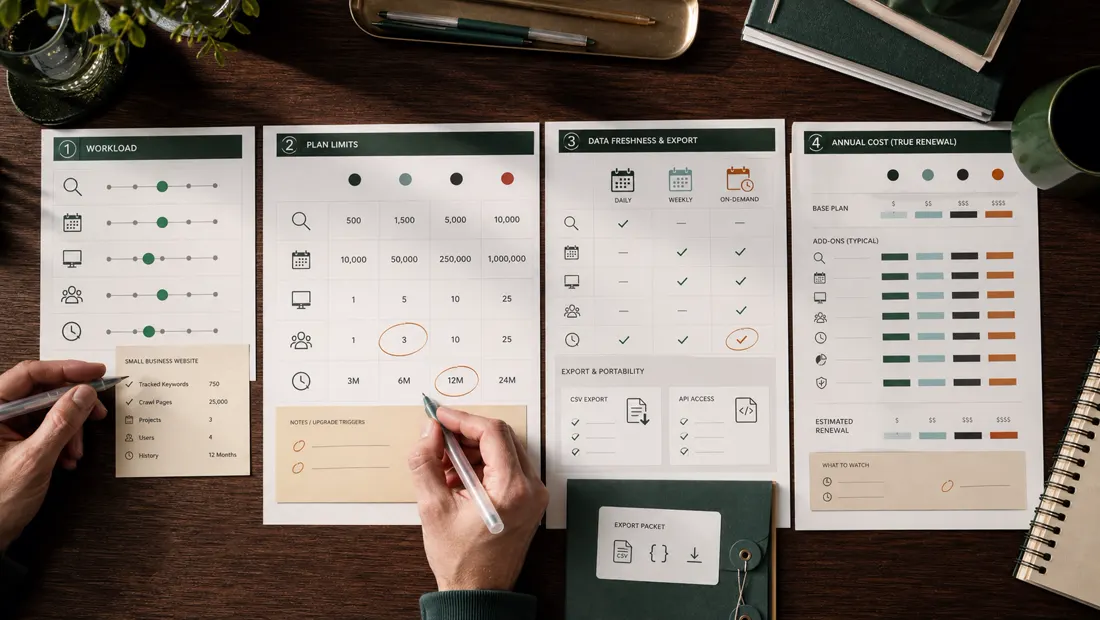
Editorial planning visuals, not vendor-interface screenshots.
Additional validation resources
For implementation and measurement standards, review the Google Analytics Help Center and the FAQPage structured-data reference. These links are provided for process validation, not as product endorsements.
VERIFICATION STANDARD
How to use this guide responsibly
This is independent desk research, not a claim of hands-on use. Pricing, packaging, interfaces, limits, and vendor policies can change. Record the check date, save the relevant official page, and validate the workflow with your own data before subscribing or migrating.
Editorial owner: Rena Ozone, representative member and editorial reviewer at RIA LLC. We correct material factual errors through the process described in our editorial policy.
Official sources checked
- Mangools plans and pricing (accessed August 20, 2026)
- Mangools SERPWatcher guide (accessed August 20, 2026)
- Mangools KWFinder guide (accessed August 20, 2026)