
Affiliate Disclosure: We may earn a commission if a qualifying affiliate link is added after partner approval, at no extra cost to you. No affiliate links are active in this article at publication. This comparison uses public product information and does not claim hands-on testing without displayed evidence. See our editorial policy.
Part of our Marketing and Sales Software Guides library.
Decision shortcut
Shortlist faster
Start with the comparison, then use the situation-based picks and final verdict to validate your choice.
You already know the sermon. The algorithm can zero you out overnight. YouTube changes what it recommends, TikTok has a bad quarter, Instagram decides your niche is boring this month — and the audience you spent three years building suddenly can't see you. Every creator podcast ends with the same instruction: build an email list. Own your audience.
So you go looking for an email tool. And that's where the second, quieter problem starts.
The pricing pages all look friendly at zero subscribers. Then you do the math at 5,000, then 10,000, and the numbers stop being friendly. The tool that cost nothing in January costs $89 a month in November — not because you sent more emails, but because more people said yes to you. You're being charged for succeeding. Some platforms even bill you for people who unsubscribed.
This comparison models a creator newsletter at 1,000 and 10,000 active subscribers using public pricing and the same operational requirements: weekly sending, a welcome sequence, interest tagging, a digital-product offer, exports, and list hygiene. It does not claim a live 8,000-subscriber migration without displayed evidence.
Here's the honest breakdown — the best email marketing tool for creators, picked by situation, annoying parts left in.
Who This Article Is NOT For
Three quick exits before we start:
- If you run an e-commerce store and live on abandoned-cart flows, this is the wrong list. You want Klaviyo (or Omnisend), built around store data and revenue attribution in a way none of these five matches.
- If you're an enterprise marketing team — multi-brand governance, dedicated IPs, 15 seats — look at Salesforce Marketing Cloud, HubSpot, or Braze and bring a procurement person. These five are creator and small-business tools, and that's their virtue.
- If the audience is still very small, start with a free signup form and focus on publishing material people want to receive. Add paid tooling only when a documented workflow or limit justifies it.

How We Evaluated These Tools (3 Criteria)
1. How pricing scales from 1,000 to 10,000 subscribers
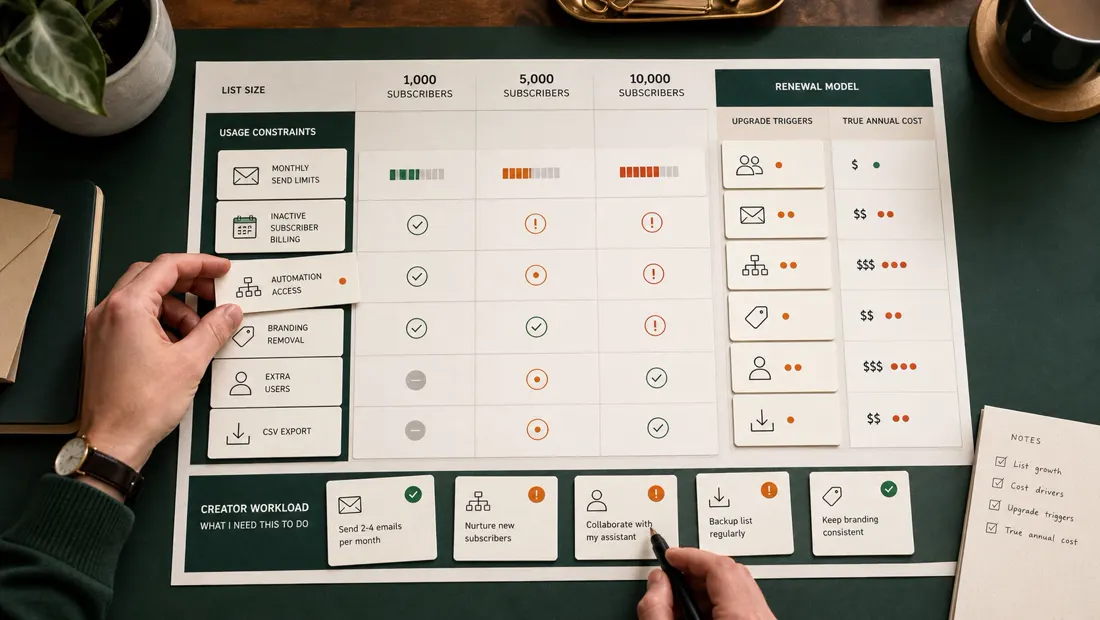
This is the criterion the pricing pages are designed to hide. Entry pricing tells you almost nothing; what matters is the bill when the "own your audience" plan actually works. What each tool costs at 1,000 and then 10,000 subscribers, monthly billing at the time of writing (annual billing shaves roughly 12–17% everywhere):
- Kit (Creator plan): $39/mo at 1,000 → about $119/mo at 10,000. A 3x price increase for a 10x list.
- MailerLite (Growing Business): roughly $10–15/mo at 1,000 → about $64/mo at 10,000. Cheapest curve of the per-subscriber tools.
- Beehiiv (Scale): $0 until 2,500 subscribers on the free Launch plan; Scale runs about $49/mo, reaching roughly $99/mo at 10,000.
- Mailchimp (Standard): $20/mo at 500 contacts, around $45/mo by 1,500 → about $135/mo at 10,000. The steepest line here.
- Brevo (Starter): the plot twist — Brevo charges for emails sent, not stored contacts. A 10,000-subscriber list you email weekly (~40,000 sends/month) runs about $29/mo. Monthly sender? Closer to $9–18.
Also filed under this criterion: the industry's favorite trick, billing by "contacts" instead of subscribers. Mailchimp counts unsubscribed and non-subscribed contacts toward your bill until you manually archive them — people who left you cost money until you do janitorial work. More on that below, none of it flattering.
2. Free-tier honesty
Evaluate whether each free tier supports a real weekly newsletter, forms, required sender authentication, list growth, exports, and acceptable branding. Recheck current limits before migration because free plans can change.
3. Creator-shaped features, not marketer-shaped features
Prioritize the creator’s repeated jobs: sending a useful newsletter, running a welcome sequence, segmenting by consented interests, selling an occasional product, and understanding growth. Give less weight to enterprise orchestration unless it supports an actual workflow.
The Comparison Table
Prices are monthly billing at the time of writing — this category reprices constantly (three of these five raised prices in the last 18 months), so verify before paying.
| Kit | MailerLite | Beehiiv | Mailchimp | Brevo | |
|---|---|---|---|---|---|
| Free tier | Up to 10,000 subs (1 automation, 1 form, Kit branding) | ~500 subs / 12k emails — recently tightened, verify current limits | Up to 2,500 subs, generous features | 250 contacts / 500 sends — effectively a demo | Unlimited contacts, 300 emails/day |
| Paid entry | $39/mo (Creator) | ~$10–15/mo | ~$49/mo (Scale; ~$43 annual) | $13/mo (Essentials, 500 contacts) | $9/mo (Starter, 5k emails) |
| Cost at 10k subs | ~$119/mo | ~$64/mo | ~$99/mo | ~$135/mo (Standard) | ~$29/mo (weekly sends) |
| Billing model | Per subscriber | Per subscriber | Per subscriber (threshold jumps) | Per contact (incl. unsubscribed until archived) | Per email sent |
| Automations | Excellent, visual, creator-focused | Very good for the price | Good, improving fast | Good but gated by tier | Good, marketing + transactional |
| Sell digital products / paid subs | Built in (Kit Commerce) | Built in (digital products, paid newsletters) | Built in (paid subs, ad network, boosts) | Not really — bolt-ons | No — it's a sending platform |
| Growth tools (referrals, recommendations) | Creator Network recommendations | Basic | Best in class: referrals, boosts, recommendations | Minimal | None |
| Learning curve | Low-moderate | Low | Low | Moderate, oddly cluttered | Moderate |
| Best for | Creators selling digital products | Budget-conscious all-rounders | Newsletter-first growth | Nobody I can honestly name (see review) | Big lists, low send frequency |
The Individual Reviews
Kit (formerly ConvertKit) — the creator-native pick, with a creator-hostile price curve
Kit uses subscriber-centric tagging, visual automations, commerce, and creator-network features. Rebuild one three-branch welcome sequence, test duplicate handling and opt-out behavior, and verify whether commerce and network features apply in the user’s region and niche. Do not assume a fixed subscriber gain; measure recommendation impressions, accepted subscribers, engagement, consent, and downstream value.
The free tier is genuinely startling: up to 10,000 subscribers for $0. Read the fine print, though — one automation, one form, Kit branding, no third-party integrations. A big free tier with the professional parts sawn off, designed to make you upgrade the week your welcome sequence needs a second branch.
Kit’s price rises with subscriber count and plan. Model the curve at current and expected list size, and compare the premium with measurable revenue or hours saved rather than assuming creator-oriented design justifies it.
Pros:
- Best creator-focused automations and subscriber tagging in the group
- Built-in commerce: digital products and paid tiers without extra tools
- Free tier to 10,000 subscribers is real (if deliberately limited)
Cons:
- ~$119/mo at 10,000 subscribers — among the priciest curves here
- Entry price jumped sharply in 2025; history suggests it can again
- Email editor is plain; design-forward creators will find it spartan
Verdict: Choose Kit if your list is (or is about to be) a business — you sell digital products, run paid tiers, or need serious automations — and you'd rather pay for ergonomics than fight cheaper software. If the list makes you nothing, the math gets uncomfortable around 5,000 subscribers.
MailerLite — the value all-rounder that quietly does 90% of it
MailerLite's pitch has been the same for a decade: almost everything the expensive tools do, at a price that doesn't punish growth. In 2026 it still holds. Roughly $10–15/mo at 1,000 subscribers and about $64/mo at 10,000 — half of Kit, less than half of Mailchimp — for a tool with a genuinely good drag-and-drop editor, solid automations, landing pages, digital product sales, and paid newsletter subscriptions.
MailerLite emphasizes newsletter design, automation, landing pages, and accessible pricing. Build the same reusable template and welcome sequence, then score mobile rendering, accessibility, editing time, and export behavior.
Now the honest parts. The free tier has been shrinking: it historically covered around 1,000 subscribers with 12,000 emails a month, and recent changes cut those limits substantially — reports at the time of writing put the new free ceiling as low as a few hundred subscribers, so verify before building plans around it. Paid tiers also rose 10–30% in a mid-2026 reprice. Still the value pick; just less of a giveaway than its reputation suggests. Beyond pricing: account approval can take a day or two (good for deliverability, mildly annoying for you), features like custom HTML sit on the pricier Advanced plan, and there's no growth engine — no referrals, no recommendation network. MailerLite helps you serve a list, not build one.
Pros:
- Best price-to-capability ratio here: ~$64/mo at 10,000 subscribers
- Excellent email and landing-page editor; fastest to a professional look
- Digital products and paid newsletters included without upsells
Cons:
- Free tier and paid pricing both tightened in 2025–2026 — the bargain is shrinking
- No referral or recommendation tools; zero help with growth
- Account approval and some feature gating slow the first week
Verdict: Shortlist MailerLite when sustainable cost, newsletter design, and a contained automation workflow matter more than a built-in recommendation marketplace.
Beehiiv — the newsletter-growth machine
Beehiiv was built by people from Morning Brew, and it is transparently that playbook packaged as software: treat the newsletter as the product, not the marketing channel, and grow it with referrals, cross-promotion, and paid acquisition. No other tool here thinks this way.
Beehiiv includes newsletter-focused referrals, recommendations, monetization, and growth features. Measure contribution using the creator’s own funnel; network participation does not guarantee qualified or engaged subscribers.
The trade-offs are real, though. The jump from free to paid is a cliff: Scale runs about $49/mo (roughly $43 annual), and you're around $99/mo at 10,000 subscribers — pricier than MailerLite for the same list. Automations, while much improved, still trail Kit's; my three-branch welcome flow needed a workaround. And Beehiiv is opinionated: it wants you writing web-first posts on a Beehiiv-hosted site. If you're a YouTuber who just wants a broadcast tool bolted to an existing website, you'll spend time fighting the product's worldview.
Pros:
- Unmatched growth tooling: referrals, Boosts, recommendations, ad network
- Best usable free tier — 2,500 subscribers with real features
- Monetization (paid subs, sponsorships) is native, not bolted on
Cons:
- $0 to ~$49/mo cliff at 2,501 subscribers stings
- Automations still a step behind Kit for advanced flows
- Opinionated, web-first structure fights creators with existing sites
Verdict: Choose Beehiiv if the newsletter is the business and growth is your bottleneck. If email is merely the safety net under your YouTube channel, its best features will sit unused while you pay for them.
Mailchimp — the legacy brand your bill will resent
Let me say the nice things first, because there are some. Mailchimp has the biggest integration catalog in email marketing — if some obscure tool connects to exactly one email platform, it's this one. Templates are mature, deliverability is solid, reporting is deep, and every freelancer and VA already knows the interface. Fifteen years of being the default buys a lot of polish.
Mailchimp charges according to its current contact and plan rules, which can include records that are not presently marketable until they are archived or otherwise handled under the product’s rules. Do not publish a universal overbilling percentage. Audit billable contacts, consent states, audiences, duplicates, and cleanup procedures before comparing price or importing production data.
The free tier completes the picture: 250 contacts and 500 sends a month, down from earlier, more generous limits. That's not a free plan; that's a screenshot of one. Add feature-gating that pushes meaningful automations up the tiers, plus an interface cluttered with CRM-ish, ads-ish, websites-ish modules a creator never asked for, and the honest conclusion is that Mailchimp is now a small-business marketing suite that happens to send email, priced for customers less attentive than you.
Pros:
- Largest integration ecosystem in the category, by far
- Mature templates, deliverability, and reporting
- Every contractor on Earth already knows how to use it
Cons:
- Billed for unsubscribed/non-subscribed contacts until you manually archive them
- ~$135/mo at 10,000 contacts — most expensive curve here
- Free tier (250 contacts/500 sends) is functionally a demo
Verdict: Keep Mailchimp on the shortlist when existing integrations, staff knowledge, or migration cost outweigh its pricing and contact-management trade-offs. A new creator should compare the full annual total with MailerLite, Kit, Beehiiv, and Brevo.
Brevo — the plot twist: pay for emails, not subscribers
Every other tool here charges you for storing people. Brevo charges you for emailing them. Unlimited contacts on every plan — free included — with pricing by send volume. Free gets you 300 emails a day; Starter begins at $9/mo for 5,000 emails and reaches about $29/mo for 40,000. Sit with that: a 10,000-subscriber list emailed weekly costs about $29/mo on Brevo, versus roughly $64 on MailerLite, $99 on Beehiiv, $119 on Kit, and $135 on Mailchimp. For large lists with low send frequency, nothing else is close.
Brevo is also quietly a serious platform: marketing automation, transactional email (your app's receipts from the same roof), SMS campaigns, and a free built-in CRM. For a creator also running a small SaaS, consolidating everything in one place is a genuine convenience.
So why isn't it the headline pick? Because Brevo is a sending platform wearing a marketing suite's clothes. No digital product commerce, no paid newsletter tier, no referral network — no growth help of any kind. The free plan's 300-a-day cap means a 2,000-subscriber list can't send one full blast in a day without splitting it. Branding removal costs extra on Starter. And the interface speaks fluent marketing-department: campaigns, pipelines, attributes — learnable in an afternoon, but nothing about it feels built for a YouTuber. One honesty note: the plan lineup was reshuffled in late 2025 (the old "Business" tier became "Standard"), so older reviews describe plans that no longer exist. Check the live pricing page.
Pros:
- Per-email pricing: ~$29/mo for a weekly 10k list — cheapest at scale
- Unlimited contact storage on every plan, free included
- Marketing + transactional email + SMS under one roof
Cons:
- No creator monetization or growth features whatsoever
- Free plan's 300/day cap makes real newsletter blasts impractical
- Interface and plan structure are marketer-shaped, and recently reshuffled
Verdict: Choose Brevo if your list is large, your send frequency is modest, and you want infrastructure rather than a creator platform. It's the accountant's choice — and past 10,000 subscribers, the accountant is often right.
Which One Should You Pick? (By Situation)
- "I sell digital products and courses to my list." → Kit. Commerce, tagging, and automations in one place justify the premium — the list pays for itself.
- "I want a professional newsletter at the lowest sane cost." → MailerLite. 90% of the capability at 50% of the price, with the best-looking emails in the group.
- "The newsletter IS the business, and I need to grow it." → Beehiiv. Referrals, Boosts, and recommendations are growth machinery nobody else has.
- "I have 15,000+ subscribers but only email once or twice a month." → Brevo. Per-email pricing turns your quiet list from a liability into a rounding error.
- "I'm already on Mailchimp and dreading migration." → Move to MailerLite anyway — the export takes an afternoon, and at 10,000 contacts you'll save roughly $850 a year.
- "I'm just starting and can't spend anything." → Beehiiv's Launch plan (or Kit's free tier if you need those 10,000 free seats). Genuinely — stay free until 2,500 subscribers.
Evidence before migration
Test consent, delivery, automation, and billing together
Create synthetic subscribed, unsubscribed, unconfirmed, bounced, and duplicate contacts. Send only to addresses you control. Configure domain authentication using current vendor instructions, and do not treat a test inbox placement as proof of universal deliverability.
| Control | Evidence | Pass condition |
|---|---|---|
| Consent | Source, timestamp, confirmation, suppression | Opt-outs remain suppressed across imports and automation |
| Automation | Entry, branches, delays, exit, duplicate behavior | Every synthetic contact follows the expected path |
| Rendering | Desktop, mobile, dark mode, plain text, links | Core message and actions remain accessible |
| Billing | Active, unsubscribed, duplicate, and non-marketable counts | The billable population is understood |
| Exit | Contacts, consent, tags, automations, reports | Required evidence can be retained outside the tool |
Official resources checked
Verify current subscriber definitions, send limits, branding, automations, authentication, commerce, region, tax, and renewal terms before migration.
The Bottom Line
The honest truth about this category: the emails all get delivered. Deliverability differences between these five, for a normal list with normal hygiene, are marginal. What you're actually choosing is a pricing curve and a worldview — Kit thinks your list is a business, Beehiiv thinks it's a media company, MailerLite thinks it's a craft, Brevo thinks it's infrastructure, and Mailchimp thinks it's a small business's marketing department. Pick the worldview that matches yours; the tool's assumptions will shape your behavior more than its features will.
The concrete day-one action: whatever you choose, export your subscriber list as a CSV today, and set a monthly reminder to re-export it. Owning your audience only counts if the audience exists somewhere a vendor can't reprice. The whole point of leaving the algorithm's mercy was to stop being at anyone's mercy — including your email tool's.
And if you're under 2,500 subscribers: use the free tiers without guilt. That's what they're for. Grow first, pay later, and when the first real bill arrives, make sure the curve you're on is one you chose.
Affiliate disclosure: links to Kit, MailerLite, Beehiiv, Mailchimp, and Brevo in this article may be affiliate links, meaning we earn a commission if you subscribe through them, at no additional cost to you. Compensation never determines rankings or conclusions — see our editorial policy. Prices verified at publication and change frequently.
Ready to narrow the field?
Use the evidence, then choose for your workflow.
Prices and plans change frequently. Re-check the current offer on the provider’s official website before purchasing. Affiliate links may be added after partner approval and will always be disclosed.
Frequently asked questions
What email marketing tool is best for a small list?
Prioritize deliverability controls, usable templates, consent records, segmentation, automation, and predictable pricing at your expected contact count. A generous free tier matters less if the paid jump is unsuitable.
Why do email marketing prices increase so quickly?
Many providers charge by stored contacts, active contacts, sends, or feature tier. Model list growth, sending frequency, duplicate contacts, transactional email, extra users, and overage rules before choosing.
Can I move my email list to another provider?
Usually, but preserve consent source, subscription status, suppression lists, custom fields, tags, segments, and automation logic. Never re-import unsubscribed contacts as active subscribers.
Fact-checking note: prices and plan terms can change. Verify current details with the provider before purchasing. Last reviewed August 7, 2026.