
Affiliate Disclosure: This article contains affiliate links. If you subscribe through one of them, we may earn a commission at no extra cost to you. This comparison uses publicly available product information, documentation, and pricing. It does not claim an authenticated hands-on test unless the article shows the original evidence. Criticism stays visible regardless of commissions. Details in our editorial policy.
Part of our Essential Business Software Guides library.
Decision shortcut
Shortlist faster
Start with the comparison, then use the situation-based picks and final verdict to validate your choice.
It's a Tuesday in April. You're searching your inbox for "Stripe payout," scrolling past 200 receipts you swore you'd file "later," and slowly realizing that your entire accounting system is a Gmail search bar and a feeling of dread.
Freelancers commonly begin with receipts in folders, invoices in editable documents, and tax estimates maintained outside their bookkeeping system. This guide focuses on the point at which that process becomes costly or unreliable: invoices are slow to send, payment status is unclear, expenses are incomplete, or year-end records require reconstruction.
Here's the thing nobody tells you when you go solo: you don't need to learn accounting. You genuinely don't. You need software that sends invoices that get paid fast, watches your bank account so you don't have to, and hands you (or your tax preparer) clean numbers in April. Debits and credits are the software's problem now.
This comparison evaluates FreshBooks, QuickBooks, Wave, Xero, and Zoho Books using a defined freelance workflow: invoicing, payment collection, expense capture, reconciliation, reporting, tax preparation, and the handling of a late-paying client. Product behavior and current pricing should be verified with official documentation and a trial before real financial data is migrated.
Who This Article Is NOT For
- UK contractors dealing with VAT and Making Tax Digital. MTD compliance has specific software requirements and deadlines that this US-focused comparison doesn't cover. FreeAgent and the UK editions of Xero or QuickBooks handle MTD filings natively — but verify current HMRC recognition and your own VAT situation with an accountant before you buy anything.
- Product businesses with inventory. If you're tracking stock, cost of goods sold, and purchase orders, you've outgrown this article. Look at QuickBooks Online Plus, Xero's higher tiers, or Zoho Inventory paired with Zoho Books — and compare those tiers specifically, because inventory is where accounting software pricing gets serious.
- Anyone who already works with an accountant or bookkeeper should ask which products, editions, exports, and collaboration methods that professional supports. A theoretically strong product can create avoidable work when the accountant must convert or reconstruct the records.

How We Evaluated These Tools (3 Criteria)
1. Invoice-to-paid friction
For a freelancer, the most valuable workflow may be the path from completed work to collected payment. Evaluate the time needed to create and send an invoice, available payment methods, automatic reminders, fee handling, and whether a payment reconciles cleanly. Measure the complete process with a test invoice instead of assuming that an embedded payment button will improve collection time for every client.
2. Tax-time readiness
The April test. Can this software hand you — or the tax preparer you hire in a panic — a clean profit-and-loss statement, categorized expenses, and some sense of what you owe quarterly? Extra credit for tools that estimate US self-employment taxes as the year goes, because the worst freelancer surprise isn't a slow client. It's a five-figure bill you didn't see coming.
3. Real cost after the intro discounts expire
Teaser pricing makes the first displayed monthly number a poor comparison. This guide therefore emphasizes the regular renewal price and the limits that trigger an upgrade, including client, invoice, user, receipt, and transaction constraints. Build both a first-year and renewal-year total using the current official offer.
The Comparison Table
Prices in this guide refer to US plans available at the review date and emphasize regular rather than temporary promotional rates. This category runs frequent promotions; verify the current price, billing commitment, tax treatment, payment fees, and renewal terms before subscribing.
| FreshBooks | QuickBooks | Wave | Xero | Zoho Books | |
|---|---|---|---|---|---|
| Realistic entry price (regular) | $23/mo (Lite) | $20/mo (Solopreneur) or $38/mo (Simple Start) | $0 (Starter) | $25/mo (Early) | $0 (Free) or $20/mo (Standard) |
| Typical intro offer | ~50%+ off first months (rotates) | 50% off 3 months or 30-day trial — not both | None needed | Frequent steep multi-month promos | 14-day trial; annual billing discount (~$15/mo) |
| Key entry-tier limit | 5 billable clients | Solopreneur is a separate, simpler product | Free tier: manual-ish bank imports, self-serve support | 20 invoices + 5 bills per month | Free plan for revenue under ~$50K/yr |
| Invoicing & payment buttons | Excellent, most client-friendly | Very good | Good | Good | Very good |
| Quarterly tax estimates (US) | Via add-ons/reports | Best in class (Solopreneur) | No | No | Partial (reports) |
| Time tracking & proposals | Built in, all plans | Limited/add-on | No | Higher tiers/apps | Built in (timesheets) |
| Card payment fees (approx.) | ~2.9% + 30¢ | ~2.99% | 2.9% + 60¢ (Amex 3.4% + 60¢) | Via Stripe et al. (~2.9% + 30¢) | Via Stripe et al. (~2.9% + 30¢) |
| Learning curve | Gentlest | Moderate | Gentle | Moderate–steep | Moderate |
| Best for | Freelancer-native workflow | Accountant compatibility, taxes | $0 baseline | Freelancers becoming agencies | Best value, Zoho users |
The Individual Reviews
FreshBooks — built for people who bill humans, not ledgers
FreshBooks is the only tool here that feels like it was designed by watching a freelancer work. Invoicing, time tracking, proposals, expense capture, client follow-ups — the whole loop from "client says yes" to "money arrives" lives in one place, and every screen speaks plain English instead of accountant.
FreshBooks markets branded invoicing, online payment options, automatic reminders, late fees, time tracking, and the conversion of tracked time into invoice lines. During a trial, time the creation of one representative invoice, inspect the client payment page, test reminder rules with a non-customer address, and verify how payment status reaches the books.
Now the criticism, and it's a real one: the Lite plan at $23/month caps you at 5 billable clients. Five. Most working freelancers pass that in year one, at which point FreshBooks politely escorts you to Plus at $43/month (50 clients), nearly doubling your cost. It's the least defensible limit in this comparison — not tied to any real cost FreshBooks incurs, just a pressure valve aimed at the exact moment your business starts working. Price the Plus plan, not Lite, when deciding. And budget for reality: FreshBooks runs rotating intro discounts (often 50% or more off the first months), and the renewal lands harder if you anchored on the promo price.
Accounting depth is adequate rather than deep — double-entry reports exist and accountants can access them, but a CPA raised on QuickBooks will grumble.
Pros:
- Best invoice-to-paid workflow here: payment buttons, auto-reminders, late fees, client-friendly pages
- Time tracking and proposals built into every plan — the freelancer loop is complete out of the box
- Genuinely learnable in an afternoon; the least intimidating interface in the category
Cons:
- The 5-client cap on Lite is stingy; realistic cost for most freelancers is the $43/month Plus plan
- Intro discounts expire and the regular price stings by comparison
- Accounting reports are shallower than QuickBooks or Xero if your finances get complicated
Verdict: Choose FreshBooks if your business is billing clients for your time and you want the send-invoice-get-paid loop to be effortless. Just make the decision at Plus-plan pricing, because that's where you'll realistically live.
QuickBooks — the accountant's default, with an asterisk on the price tag
QuickBooks offers two relevant entry points with different workflows. Solopreneur is positioned for unincorporated solo operators and emphasizes separating business and personal transactions plus estimated quarterly taxes. QuickBooks Online Simple Start is a fuller bookkeeping product with standard financial reports and contractor-related workflows. Verify current prices, eligibility, features, and the path between editions on Intuit’s official pages.
QuickBooks combines a broad accounting ecosystem with frequent offers for adjacent Intuit services. Evaluate the normal post-promotion price, whether a trial is available with the chosen offer, and the path from Solopreneur to QuickBooks Online. Record any required migration work before treating the products as simple tiers of one system.
QuickBooks is widely supported by US accountants and offers bank feeds, categorization, and established reporting workflows. Those advantages should be weighed against regular pricing, sales prompts, edition differences, and the data-conversion path. Ask the accountant who will receive the books which edition and export they support.
Pros:
- The accountant-compatibility standard in the US — handing off your books is trivially easy
- Solopreneur's automatic quarterly tax estimation is the best April-panic prevention in this comparison
- Reliable bank feeds, strong reports, and an ecosystem (TurboTax, payroll) that covers everything
Cons:
- Intro pricing snaps from ~$19 to $38/month after three months, and you must choose between the discount and the free trial
- Relentless in-product upselling; expect to decline offers weekly
- Solopreneur doesn't cleanly upgrade into QuickBooks Online when you grow
Verdict: Choose QuickBooks if quarterly taxes are your biggest fear (Solopreneur) or if there's any chance an accountant enters your life this year (Simple Start). Budget the full price from day one and treat the discount as a bonus, not the price.
Wave — the free option that's actually good
Every category has a "free" option that turns out to be a crippled demo. Wave is not that. The Starter plan costs $0 — not $0 for a trial, not $0 with your data sold to advertisers in some sinister way, but $0 supported by an honest business model: Wave makes money when you process payments through it and when you upgrade to Pro.
Wave Starter publicly positions invoicing and core bookkeeping at no subscription charge, while bank imports, receipt capture, and additional support depend on current paid packaging. Verify the present Starter and Pro limits, payment-processing fees, export options, and support channels before relying on the free edition.
The real price of "free" is the payment processing: about 2.9% + $0.60 per card transaction (3.4% + $0.60 for Amex) and 1% for ACH with a $1 minimum. Those card rates run slightly above the ~2.9% + 30¢ industry baseline — that extra 30 cents is precisely how the free plan gets paid for. On a $2,000 invoice, the ACH fee is $20; card, about $59. Fine at small volume; worth doing the math at higher volume. Also be honest about ambition: no time tracking, no project profitability, thin integrations, US/Canada focus. Wave is a place to run simple books well, not a place to grow into.
A new or part-time freelancer with a small client list may not need a paid subscription immediately. A free edition can remain appropriate until bank automation, receipt capture, additional users, reporting, or support creates enough measurable value to justify an upgrade.
Pros:
- Actually-free invoicing and bookkeeping with no artificial invoice or client caps
- Honest, transparent monetization — you pay when money moves, not for shelfware
- Simple enough that a spreadsheet refugee is productive in an hour
Cons:
- Automatic bank imports and human support require Pro at $19/month, which erodes the free advantage
- Card processing fees (2.9% + 60¢) run above the industry's typical 30¢ fixed fee
- No time tracking, weak integrations, and limited room to grow
Verdict: Choose Wave if you're early-stage, price-sensitive, and your needs are invoices-in, expenses-categorized, P&L-out. It's the best $0 in small-business software. Just re-run the fee math once you're processing serious volume.
Xero — the one you graduate into
Xero is beautiful accounting software. That sentence sounds absurd, but spend an hour in its bank reconciliation screen — transactions matched with a keystroke, rules that learn your patterns — and you'll see why bookkeepers outside the QuickBooks orbit adore it. It's a full double-entry platform with unlimited users on every plan, 1,000+ app integrations, and reporting that scales from freelancer to funded startup without changing tools.
That's also the problem for this article's audience. Xero is built for businesses, and freelancers can feel like they've wandered into a bigger store than they needed. The US entry plan (Early, $25/month) carries a limit that's nearly disqualifying here: 20 invoices and 5 bills per month. A freelancer billing retainer clients weekly can blow through that, and the next stop is Growing at $55/month — the biggest tier jump in this comparison. There's no built-in US quarterly tax estimation, expense claims and project time tracking are reserved for the $90/month Established plan or third-party apps, and the learning curve assumes more bookkeeping curiosity than the average freelancer has. Xero has also announced US price increases for late 2026, and it runs aggressive multi-month intro promotions — same rule as always: decide at the regular price.
None of this makes Xero bad. It makes it early. If you fully intend to become an agency — subcontractors, a bookkeeper, maybe an employee — starting in Xero means never migrating, and unlimited seats mean your future bookkeeper costs $0 to add.
Pros:
- Strong reconciliation and reporting scope; verify bank coverage, matching behavior, and accountant access with your own accounts
- Unlimited users on all plans — adding a bookkeeper or partner costs nothing
- Scales further than anything else here; you will likely never outgrow it
Cons:
- Early plan's 20-invoice/5-bill monthly cap is too tight for many freelancers, forcing the $55/month Growing plan
- No built-in US quarterly tax estimates; time tracking and expenses locked to the $90 tier or apps
- Announced price increases and heavy intro promos make the true long-term cost easy to underestimate
Verdict: Choose Xero if today's freelancing is tomorrow's agency and you'd rather learn one system once. If you just want to invoice five clients and survive April, it's more platform than you need.
Zoho Books — the value pick hiding in a software empire
Zoho Books is what happens when a company with 55+ business apps and no venture-capital burn rate decides to undercut the accounting incumbents. The result is quietly excellent: real double-entry accounting, polished invoicing with payment buttons and automatic reminders, client portals, timesheets, and project billing — at $20/month for Standard, dropping to $15/month on annual billing. That's freelancer-loop coverage comparable to FreshBooks Plus at roughly a third of the price.
There's also a legitimately useful free plan for businesses with revenue under about $50K per year — one user plus your accountant, invoicing, expenses, the essentials. Unlike most free tiers, it isn't a tease; a part-time freelancer could run on it indefinitely. And if you already live in the Zoho universe (CRM, Mail), Books snaps in like no rival can.
Zoho Books offers extensive configuration and connects naturally with other Zoho products, but setup and add-on requirements can increase administration. Time a representative setup during the trial, price required receipt scanning and companion apps, and confirm whether the accountant can work directly in the system or needs an export.
Pros:
- The best price-to-capability ratio in this comparison — $15–20/month for near-complete freelancer coverage
- Genuinely usable free plan for sub-$50K/year freelancers
- Timesheets, project billing, and client portal included where rivals charge more
Cons:
- Denser interface with a real setup curve; expect an evening, not an hour
- Add-ons and ecosystem pull can nibble at the headline price
- Thin accountant mindshare in the US compared to QuickBooks and Xero
Verdict: Choose Zoho Books if you're value-driven, mildly technical, and willing to trade an evening of setup for years of paying half price — doubly so if you use other Zoho products already.
Which One Should You Pick? (By Situation)
- "I bill clients for my time and I hate invoicing most of all." → FreshBooks. The invoice-to-paid loop is the best here; just budget for the $43/month Plus plan once you pass five clients.
- "Quarterly taxes terrify me and I file with TurboTax." → QuickBooks Solopreneur. Continuous tax estimates are its whole reason for existing.
- "I might hire an accountant this year, or already have one." → Ask them first — seriously — and the answer will probably be QuickBooks Simple Start.
- "I'm new, broke, or freelancing part-time." → Wave (free) or Zoho Books' free plan. Upgrade when the software, not an article, tells you to.
- "This freelance thing is becoming an agency." → Xero. Learn it once, add your bookkeeper free, never migrate.
- "I want the most capability per dollar and don't mind a setup evening." → Zoho Books Standard on annual billing at ~$15/month. The quiet rational choice.
Evidence before purchase
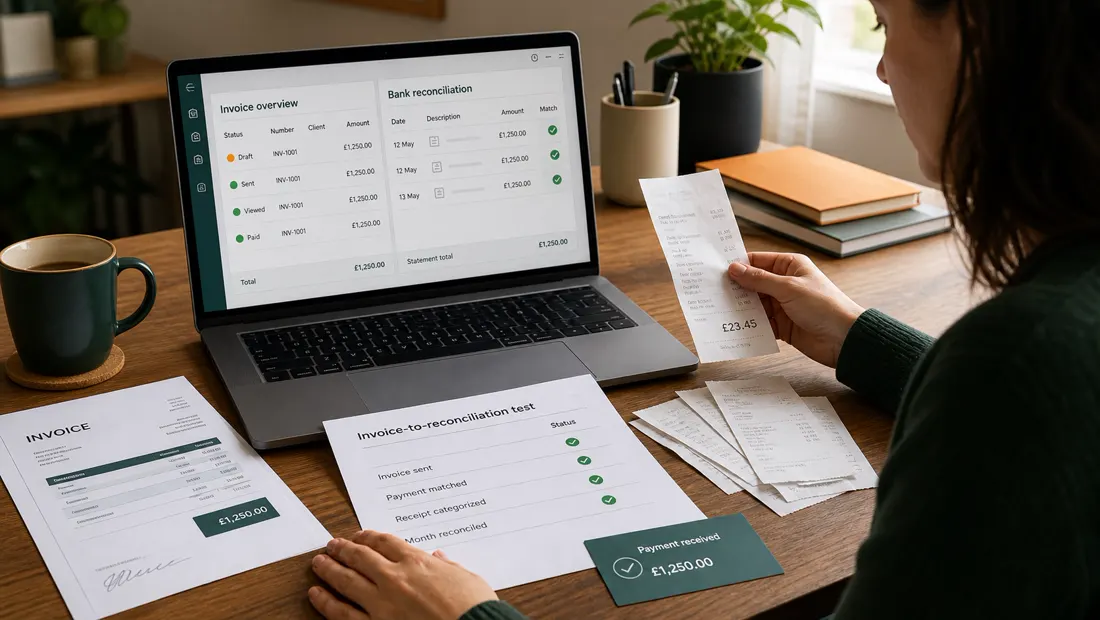
Run the same invoice-to-reconciliation test in every finalist
Create a fictional client, service, expense, late invoice, payment, and refund. Do not upload real financial or customer data until security, privacy, and accountant requirements are approved. Time each step and retain the generated invoice, payment-fee calculation, reconciliation result, report, and export.
| Workflow | Evidence | Pass condition |
|---|---|---|
| Invoice | Client view, payment methods, reminder rule | Terms and total fees are clear |
| Expense | Receipt, category, tax treatment, attachment | The source can be traced later |
| Payment | Gross amount, processor fee, deposit, status | Books reconcile to the bank event |
| Reporting | Profit and loss plus transaction detail | The accountant accepts the output |
| Exit | Contacts, invoices, transactions, and attachments export | Business records remain usable outside the product |
Official resources checked
Official pages verify current packaging, not suitability. Check payment-processing fees, promotions, renewal pricing, regional availability, accountant access, and export scope immediately before purchase.
The Bottom Line
Here's the honest truth about this category: all five of these tools will get your invoices out and your taxes organized, and any of them beats the Gmail-search-bar system by a margin so wide the differences almost don't matter. Almost. The real differences are the pricing seams — FreshBooks' client cap, QuickBooks' month-four price snap, Wave's per-transaction toll, Xero's invoice ceiling — and the best defense is deciding at the regular price with your real client count in hand.
The most useful day-one test is to create a representative invoice using non-sensitive test data, inspect the client-facing payment flow, export the record, and calculate the total fee. If the workflow is clear and the renewal-year cost fits the business, continue the trial with expense capture and reconciliation.
And next April? You'll search your inbox for exactly nothing. The report will already be there, categorized, waiting, slightly smug. That feeling is what you're actually buying.
Affiliate disclosure: links to FreshBooks, QuickBooks, Wave, Xero, and Zoho Books may be affiliate links; we may earn a commission if you subscribe through them, at no additional cost to you. Rankings and criticism are never influenced by compensation — see our editorial policy. Prices and plan limits verified at publication and change frequently — always confirm current pricing and any intro-offer terms on the official sites before subscribing.
Ready to narrow the field?
Use the evidence, then choose for your workflow.
Prices and plans change frequently. Re-check the current offer on the provider’s official website before purchasing. Affiliate links may be added after partner approval and will always be disclosed.
Frequently asked questions
What accounting software is easiest for a freelancer?
The easiest choice is the one that connects to your bank, supports your local tax workflow, and lets you send invoices without maintaining a complicated chart of accounts. Test the monthly reconciliation flow before committing.
Do freelancers need paid accounting software?
Not always. A spreadsheet or free plan may work for a new business with few transactions, but paid software becomes valuable when bank feeds, receipt capture, recurring invoices, tax reporting, or accountant access save recurring time.
Can I switch accounting software during the year?
Yes, but migration is cleaner at the start of a reporting period. Export the chart of accounts, customers, suppliers, open invoices, balances, and transaction history, then reconcile the opening balance in the new system.
Fact-checking note: prices and plan terms can change. Verify current details with the provider before purchasing. Last reviewed August 7, 2026.