
Affiliate Disclosure: This article contains affiliate links. If you subscribe to a platform through one of them, we may earn a commission at no extra cost to you. Every platform below was tested against real evening-study sessions before this comparison was written, and criticism stays in regardless of commissions. Details in our editorial policy.
Part of our Online Learning and Career Change Guides library.
Quick verdict · Updated August 24, 2026
Need a credential a recruiter will recognize? Start with Coursera.
For a career change, Coursera’s Google, Meta and IBM certificates carry the most employer recognition; DataCamp wins for typing-first data practice; edX for university depth. A single Professional Certificate runs about $49/month until you finish; Coursera Plus is $399/year and only pays off if you complete three or more programs.
It's 9:40 p.m. on a Tuesday. The dishes are done, the laptop is open, and you have maybe 75 minutes of usable brain left before sleep wins. This is the entire budget for your career change. Not a bootcamp sabbatical. Not a master's degree. Tuesday nights, Thursday nights, and whatever Sunday allows.
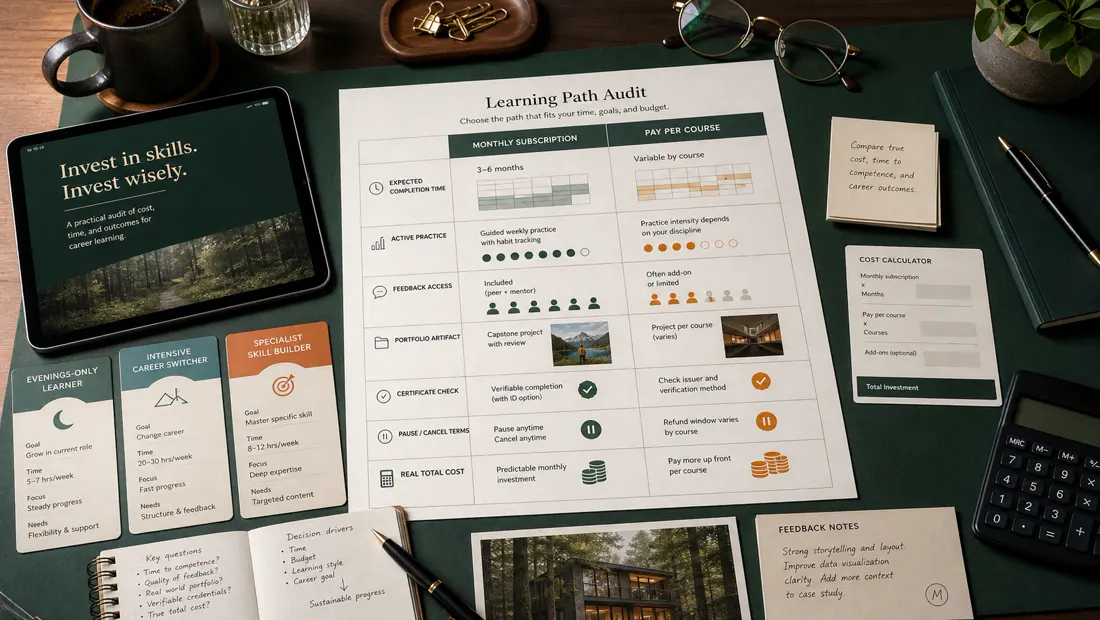
Career changers often face two risks: paying for a subscription that is not used and completing a credential that does not provide convincing work samples. This comparison evaluates platforms by learning activity, portfolio output, credential context, completion economics, and fit with fragmented study time.
Both fears are rational. Industry studies have put completion rates for open online courses under 15% for years, and the gap between "certificate employers respect" and "PDF nobody opens" is real and rarely discussed by the platforms selling them.
The five platforms are evaluated against a representative data-analyst transition plan for a working adult studying in short evening blocks. This is a documented comparison of public curricula, pricing, learning design, and required outputs; it does not claim authenticated completion of every program.
Who This Article Is NOT For
A quick filter, because the fastest way to waste money is to buy the right tool for someone else's problem:
- Roles requiring an accredited degree, license, or regulated qualification need an accredited pathway. A platform certificate is not a substitute; confirm requirements with the relevant employer, regulator, or professional body.
- If you're an absolute beginner who's just curious, don't pay anyone yet. Genuinely. YouTube, freeCodeCamp, Khan Academy, and the free audit tracks below will tell you within 20 hours whether you even like this stuff — for $0. Come back when curiosity survives a month of free material.
- If your target career is hands-on — electrician, HVAC, welding, dental hygiene — this is the wrong aisle entirely. You want community college programs, apprenticeships, and trade schools. An online video course cannot teach you to sweat a pipe joint.

Still here? Then you're my reader: employed, time-poor, aiming at tech or data, and allergic to wasting money.
How We Evaluated These Platforms (3 Criteria)
1. Does the certificate actually matter to employers?
A certificate’s value depends on employer, role, geography, recency, and accompanying evidence. Score credential recognition separately from whether the coursework produces portfolio artifacts that can be explained and defended in an interview.
2. Cost per completed course, not cost per month
Normalize pricing by a realistic completion schedule. Model monthly or annual charges, expected study hours, pauses, renewal, graded-work fees, and the number of finished courses or projects. A higher monthly price can be cheaper only if the structure actually improves completion.
3. Fit for evenings-only, hands-on learning
Test each finalist in a 45–75 minute block. Record time spent actively solving, coding, writing, or building versus watching. Confirm progress recovery, mobile or offline support, accessibility, feedback, and whether the session creates an artifact worth retaining.
Also considered: Udemy and MasterClass
Two platforms readers ask about did not make the five-way test, for different reasons. Udemy is an à-la-carte marketplace rather than a subscription: you buy individual courses, quality varies by instructor, and the list prices are mostly theoretical because sales run almost constantly. It is the right call when you need one specific, practical skill — a tool, a framework, a certification exam prep — and do not care about a credential on your CV. MasterClass is the opposite: beautifully produced, inspiration-first classes from famous practitioners, sold as an annual membership. It is wonderful for craft and perspective and nearly useless as a career-change credential, which is why it sits outside this comparison rather than at the bottom of it. If your career change runs through a second language (relocation, client-facing roles, IELTS/TOEFL requirements), Preply is the 1-on-1 tutor marketplace we are evaluating next: per its official Impact listing it connects learners with 32,000+ tutors across 50 languages, with test preparation included. We have not yet verified its lesson pricing, so check current rates on its site.
A small time-saver for evening learners: if most of your study happens from recorded lectures and PDFs, an AI note-taker such as HyNote (it transcribes audio and summarizes documents into action items, with a free plan) can shave minutes off every session. We have not benchmarked it against rivals, so treat this as a pointer rather than a recommendation.
The Comparison Table
Prices are monthly-equivalent on annual billing where available, current at the time of writing — this market reprices constantly, so treat these as close-enough and check the pricing pages before you commit.
| Coursera | DataCamp | Udacity | edX | LinkedIn Learning | |
|---|---|---|---|---|---|
| Entry price | Plus: ~$399/yr (~$33/mo); single Professional Certificates ~$49/mo | ~$25/mo annual (~$300/yr); monthly runs higher | ~$249/mo monthly; ~$846 for 4 months; annual ~$199/mo | Free to audit; certificates ~$50–$300/course; programs $200–$1,000+ | ~$20/mo annual (~$240/yr); ~$40/mo monthly |
| Free option | 7-day trials; some free audits | First chapters free | Limited free courses | Best free audit track in the group | 30-day trial; free via many libraries |
| Certificate weight with employers | Highest (Google, Meta, IBM, university brands) | Moderate, rising in data roles | Respected in niches, less known to generalist HR | Strong university names (Harvard, MIT) | Low — value is the profile badge, not the cert |
| Hands-on practice | Good (guided projects, graded assignments) | Excellent — code from minute one | Excellent — reviewed real projects | Varies widely by course | Weak — mostly video with quiz sprinkles |
| Career-change depth | Full role paths (6-month certificates) | Deep for data roles only | Very deep, narrow catalog | Deep per course, weak path guidance | Shallow — orientation, not transformation |
| Structure & deadlines | Flexible schedules, nudges | Daily-streak driven | Real project reviews and momentum | Mostly self-paced (cohorts vary) | None — pure self-serve |
| Evening-session fit | Good (mobile + offline) | Best in group (15-min chunks) | Demands 60+ min focused blocks | Medium (lectures run long) | Excellent for short bites |
| Cost per completed course (realistic) | Low if you finish 8+ courses/yr on Plus | Low-to-mid with streak discipline | High, but per completed program it can beat two abandoned cheap subs | You pay per cert, so abandonment costs less | Very low — but courses are small |
| Best for | Recognized credentials + broad paths | Data/analytics careers specifically | Funded, deadline-driven deep skill | University-grade depth, pay-as-you-go | Profile polish + business-skills breadth |
The Individual Reviews
Coursera — the credential heavyweight
If your career change needs a line on a resume that a recruiter has actually heard of, Coursera is where you start. No one else has the brand arsenal: Google Career Certificates (Data Analytics, IT Support, Project Management, Cybersecurity), Meta and IBM certificates, plus courses badged by Stanford, Yale, and Michigan. The Google certs in particular have crossed into genuine HR recognition — among everything reviewed here, they're the closest thing to a certificate that opens doors by itself.
Pricing has two doors. A single Professional Certificate runs about $49/month until you finish — budget roughly $200–$300 at a realistic working-adult pace. Coursera Plus, at about $399/year (roughly $59 month-to-month), unlocks most of the 10,000+ course catalog including nearly all the Professional Certificates. The math is simple and brutal: Plus is a bargain if you complete a certificate plus supporting courses in a year, and an expensive paperweight if you stall in month two.
Coursera courses commonly combine lectures, quizzes, graded assignments, and guided projects, but structure varies by partner. Inspect the exact syllabus and trial one representative module to confirm what can be completed in an evening block.
Now the honest part: Coursera is where good intentions go to hibernate. The flexibility that makes it fit your life also makes it painless to quit — deadlines are soft, cohorts are loose, and nobody notices when you vanish. Peer-graded assignments remain a lottery, and quality across that enormous catalog swings from excellent to visibly ten years old. Coursera will not supply your discipline. It assumes you brought your own.
Pros:
- The most employer-recognized certificates in the category, full stop
- Certificate programs are complete role paths with portfolio projects built in
- Coursera Plus is genuinely great value for a disciplined, high-volume year
Cons:
- Zero external accountability — completion is entirely on you
- Catalog quality is uneven; some flagship courses are showing their age
- Plus only beats per-certificate pricing if you actually finish multiple programs
Verdict: Choose Coursera if you need a credential a recruiter will recognize and you're honest with yourself about self-discipline. Start with one $49/month Professional Certificate rather than Plus; upgrade only after you've proven you finish things.
See Coursera Plus pricing and free trial →
DataCamp — the specialist that makes you type
DataCamp does one thing: data careers. Python, R, SQL, Power BI, Tableau, data engineering, machine learning. If your target job doesn't touch data, skip ahead. If it does, pay attention, because DataCamp solves the problem every other platform politely ignores — passive watching.
DataCamp uses short explanations and interactive coding exercises. Test a 45-minute session, then attempt a blank-editor task without hints to determine whether guided success transfers to independent work.
Pricing is reasonable: roughly $25/month on annual billing (about $300/year) at the time of writing, with monthly billing meaningfully higher — sources quote anywhere from $39 to $49 month-to-month, which tells you this platform reprices and promotes often. The first chapter of every course is free. Career Tracks ("Data Analyst with Python," 30+ hours each) bundle courses into a coherent path, and certifications add timed exams and case studies.
Guided exercises can build syntax fluency but may not prove independent problem solving. Add an unguided project phase and assess whether the learner can define questions, clean data, choose methods, and explain limitations.
Pros:
- Best hands-on learning experience in this comparison — coding from minute one
- Bite-sized structure is tailor-made for 45-minute evenings
- Strong value at ~$25/month annual for a data-specific path
Cons:
- Useless outside data/analytics careers — a true specialist tool
- Certificates alone won't impress HR; you'll still need independent projects
- Hand-holding format can mask how unready you are for a blank screen
Verdict: Choose DataCamp if — and only if — your target role is data analyst, data scientist, or data engineer. For that specific switch, it's the platform you're most likely to still be using in month four, and consistency beats prestige.
Udacity — expensive, deep, and honest about it
Udacity's Nanodegrees are the luxury option, and the sticker shock is real: about $249/month, roughly $846 for a four-month bundle, or around $199/month billed annually at the time of writing. That's bootcamp-adjacent money. Ten times DataCamp. So what do you get for the multiple?
Udacity markets project-based programs with reviewer feedback. Before purchase, verify the current review process, expected turnaround, resubmission rules, mentor access, project ownership, and refund terms directly.
There's also a perverse economics case. The price is so noticeable that it functions as a commitment device — at $249 a month, you show up on Tuesday night. One finished Nanodegree at ~$850–$1,000 can genuinely cost less than two years of a cheap subscription you use in guilty bursts and never complete. That's the abandonment math working in reverse.
But let's not romanticize it. The catalog is narrow and tech-only. The "Nanodegree" name means less to a generalist recruiter than a Google certificate, so you're buying skills and portfolio, not brand. Udacity has been through years of pricing turbulence and restructuring (it now sits under Accenture), and mentorship — once a headline feature — is thinner than the old marketing suggested. And the format punishes fragmented time: these programs want 60–90 minute focused blocks, roughly 10 hours a week. If you can't protect that, your $249 evaporates monthly regardless.
Pros:
- Human-reviewed projects — the only real feedback loop in this comparison
- Graduates finish with a legitimate technical portfolio, not just a badge
- High price doubles as a commitment device; completion odds are structurally better
Cons:
- ~$199–$249/month is bootcamp territory, and stalling is expensive
- Narrow catalog; certificate brand is weaker than Google/university names
- Needs consistent 10-hour weeks — hostile to genuinely chaotic schedules
Verdict: Choose Udacity if you have the budget, a protected 10 hours a week, and a specific deep-tech target where portfolio beats credential. Buy the four-month bundle, treat it like a part-time job, and get out. Do not drift here at $249 a month.
edX — university-grade depth with a pricing model you need to understand
edX hosts courses and programs from universities and other organizations, including well-known computer-science offerings. Academic depth, workload, support, and certificate terms vary, so inspect the specific course rather than transferring reputation from the platform.
The ability to audit some courses before paying can reduce financial risk. Verify which materials, assessments, support, and certificates are included in the current audit and verified tracks.
The catch is that audit access keeps tightening: graded assignments increasingly sit behind the paywall, and audit tracks often expire after a set number of weeks, which quietly pressures you to pay before you're sure.
The bigger weakness is that edX sells courses, not career paths. It will teach you computer science beautifully and then leave you alone to figure out which six courses assemble into "employable data analyst." There's no streak, no nudge, no path pressure — and since the 2U acquisition and its bankruptcy turbulence, polish and course upkeep have felt less consistent than the university brands deserve.
Pros:
- Deepest, most rigorous individual courses in this comparison
- Audit-first model means you only pay for what you'll actually finish
- Harvard/MIT names carry real weight on a resume and in conversation
Cons:
- No coherent career-path packaging — you're your own curriculum designer
- Audit restrictions and expiring access have crept in and keep creeping
- Rigor plus zero accountability defeats most busy adults
Verdict: Choose edX if you learn best from real academic depth and want to pay per proven course instead of feeding a subscription. Start CS50 free this week; pay the $219 only once you're past week four and still standing.
LinkedIn Learning — broad, shallow, and honest work as a supplement
LinkedIn Learning has a broad catalog, but many courses emphasize video instruction and light assessments. Treat it as orientation or targeted gap-filling unless the selected path includes substantial independent projects.
So why include it? Because what it actually sells is distribution. Completed courses post to your LinkedIn profile with one click, skill assessments add verified badges, and those signals feed how recruiters filter candidates on the platform where they're already searching. A certificate nobody Googles is worthless; a skills section that matches a recruiter's saved search has a job to do. That's a real, if modest, edge no other platform can copy.
It's also the cheapest and lowest-risk option: about $20/month on annual billing (~$240/year), roughly $40 month-to-month, a 30-day trial, and — my favorite budget honesty moment of this article — free through thousands of public libraries. If your library card unlocks it, your day-one price is zero. Check before paying. And watch the auto-renewal: that pleasant annual price renews without ceremony, and the monthly rate is double, which is exactly the kind of gap this industry loves.
LinkedIn Learning may fit short, lower-intensity study blocks and professional-skills gaps. Pair passive instruction with exercises or projects that demonstrate the target job skill.
Pros:
- Cheapest option here, with free library access for many readers
- Profile integration puts your learning where recruiters actually look
- Huge catalog covers business and soft skills the tech platforms skip
Cons:
- Shallow, watch-mostly format builds familiarity, not job-ready skill
- Certificates carry minimal standalone weight with employers
- Annual auto-renewal and a doubled monthly rate reward the inattentive
Verdict: Choose LinkedIn Learning as a $0–$20 supplement for breadth, soft skills, and profile signal — ideally on a library card — while a more serious platform does the heavy lifting.
Which One Should You Pick? (By Situation)
- "I need a certificate a recruiter has actually heard of." → Coursera. A Google or Meta Professional Certificate at ~$49/month is the strongest pure-credential play in this comparison.
- "I'm switching specifically into data analytics or data science." → DataCamp for daily skill-building, plus one Coursera Google Data Analytics cert for the resume line. That pairing beats either alone.
- "I have real budget and I need to be job-ready this year, not someday." → Udacity, four-month bundle, treated like a part-time job. Expensive, but finished.
- "I want serious depth and I refuse to fund a subscription I might abandon." → edX. Audit free, pay per course you've already committed to. The abandonment-proof pricing model.
- "I'm not even sure which career I want yet." → LinkedIn Learning on a free library card — or free YouTube and course audits. Spend $0 until the direction is clear.
- "I've already bought and abandoned two learning subscriptions." → edX or single-certificate Coursera. Your problem is structural, not motivational — stop buying monthly optimism and start paying per finished thing.
Evidence before enrollment
Run a one-week learning-transfer test
Select one skill required by a real target job. Complete equivalent introductory material, then close the lesson and solve an unfamiliar task without hints. Keep the artifact, explanation, errors, feedback, and time spent. Watching completion is not the same as skill transfer.
| Measure | Evidence | Pass condition |
|---|---|---|
| Active practice | Minutes building, solving, or writing | Practice is central rather than optional |
| Independent transfer | Blank-editor or open-ended task | The learner can act without lesson scaffolding |
| Feedback | Specific corrections and resubmission path | Errors produce actionable guidance |
| Portfolio value | Owned artifact and explanation | The learner can defend choices and limits |
| Completion economics | Expected months, pauses, renewal, and total | The schedule fits available weekly hours |
Official resources checked
Course access, subscriptions, certificates, financial aid, projects, and support vary by program and region. Verify the exact syllabus and terms, not only the platform brand.
The Bottom Line
Here's the honest truth about this category: the platform matters less than the completion rate, and every business model here is built on knowing most subscribers won't finish. The industry's real product is optimism, billed monthly. Your job as a buyer is to rig the game — pick the platform whose structure matches your actual weekly life, calculate cost per completed course before you enter a card number, and treat any certificate as the receipt for a portfolio, not a substitute for one. Employers hire evidence. The certificate just gets the evidence looked at.
Your day-one action costs nothing: tonight, block two 90-minute evening slots in your calendar as recurring appointments, then start exactly one free thing — the first chapter of a DataCamp track, CS50's audit on edX, or a Coursera trial week. If those two calendar blocks survive three weeks, you've proven the habit, and then you buy the subscription with real confidence instead of January-gym-membership hope.
A career transition requires repeated practice, credible work samples, applications, and feedback over time. The platform selected today matters less than a sustainable weekly schedule and evidence that skills transfer to unfamiliar tasks.
Affiliate disclosure: links to Coursera, DataCamp, Udacity, edX, and LinkedIn Learning in this article may be affiliate links, meaning we earn a commission if you subscribe through them, at no additional cost to you. Compensation never determines rankings or conclusions — see our editorial policy. Prices verified at publication and change frequently; always confirm current pricing on the official sites before purchasing.
Ready to narrow the field?
Use the evidence, then choose for your workflow.
Prices and plans change frequently. Re-check the current offer on the provider’s official website before purchasing. Affiliate links may be added after partner approval and will always be disclosed.
Frequently asked questions
How do I choose an online course for a career change?
Start from target job postings and identify repeated skills, tools, and portfolio evidence. Choose a course that produces verifiable work samples and includes enough feedback to correct mistakes.
Are course certificates enough to get hired?
A certificate can show structured study, but employers often need stronger evidence. Pair it with projects, a portfolio, clear explanations of decisions, and practice using the skill in realistic tasks.
How much time should I budget for an online course?
Use the provider’s estimate only as a starting point. Add time for exercises, revision, portfolio work, job research, and missed weeks, then test whether the weekly schedule is sustainable before purchasing.
Fact-checking note: prices and plan terms can change. Verify current details with the provider before purchasing. Last reviewed August 7, 2026.